Episode Story
Gemini Spark Review: I Used It to Run a Podcast Guest Pipeline
A first-hand Gemini Spark review based on a live podcast workflow, including what it automated, where it moved too quickly, and the controls it still needed.
In this article
I Let Gemini Spark Run My Podcast Guest Pipeline. The Hard Part Was Giving It a Job
Gemini Spark turned a backlog of podcast pitches, half-finished scheduling threads, and possible guests into a working pipeline in minutes. That was the impressive part. The more important lesson was how quickly an always-on agent can begin solving the wrong version of a problem when the outcome, authority, and finish line are still vague.
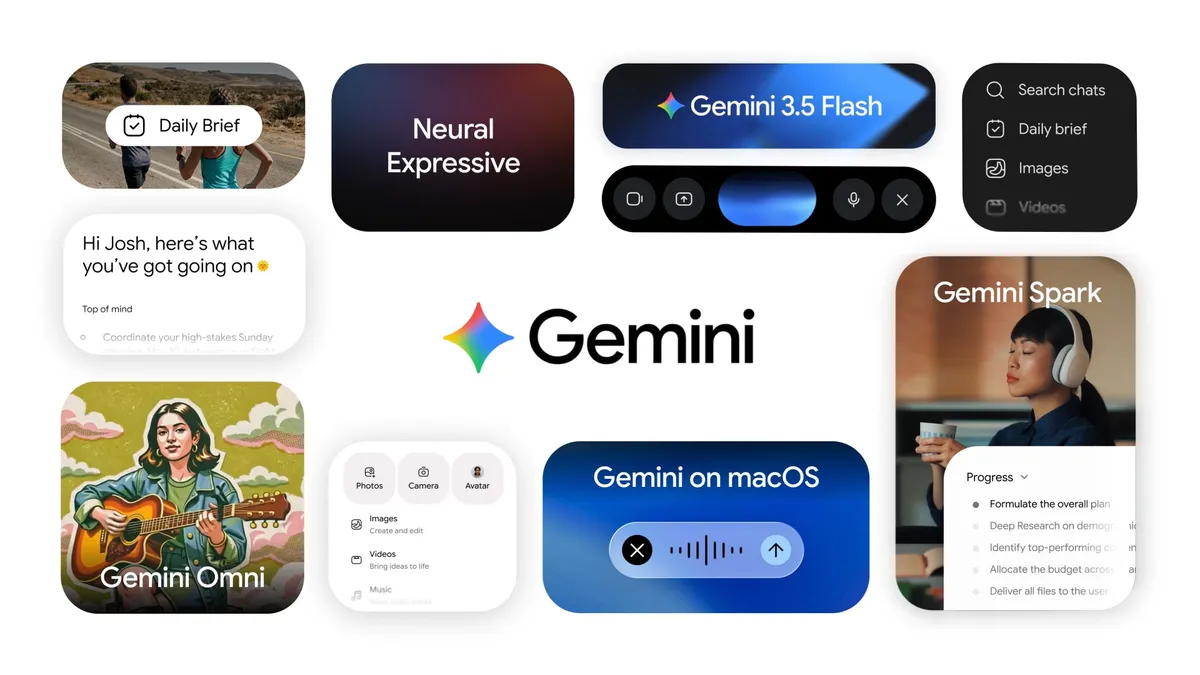
Google introduced Gemini Spark as part of its May 2026 Gemini update. Image and source: Google.
The problem was not email. It was lost state.
Venture Step receives a steady flow of guest pitches. Some are obvious fits. Others undersell the person behind the email. A guest agrees to appear, calendars fail to line up, and the conversation disappears beneath newer messages. Sometimes I owe the next reply. Sometimes the guest does. Sometimes neither of us has formally said no, but nothing is moving.
I did not need another inbox label. I needed a reliable answer to four questions: Who is in the pipeline? What is their current state? Who owns the next move? Which conversations are worth bringing back?
I had already built a version of that process in Google Workspace Studio. The flow watched for relevant email, stripped out message content, sent it through an AI step, researched the prospective guest, drafted a reply, and added a row to a sheet. It worked, but every piece had to be arranged. The structure was visible because I had built the structure myself.
Spark approached the same problem from the other direction. I described the outcome in natural language, reviewed the fields it created, and let it search the inbox. In roughly five to ten minutes, I had a usable sheet of pitches, booking judgments, follow-up states, and conversations that needed to be rehydrated.
That is a first-hand result, not a benchmark. Another inbox, account, or instruction could produce a different outcome. Still, the difference in setup friction was hard to ignore.
Spark feels less like a flowchart and more like delegation
Google describes Gemini Spark as a personal AI agent that can manage complex workflows and ongoing schedules inside Gemini. A task contains the work. A schedule decides when it should run. A skill preserves instructions and preferences for a recurring job. Spark can also draw from connected apps, prior context, websites, a remote browser, and a remote computer, subject to the account and feature access available at the time. Google's current Spark help page documents that operating model.
Those pieces matter because they give the work continuity. A normal chat can help me assess one guest pitch. Spark can revisit the pipeline every day, notice that a thread has gone quiet, update the state, and prepare the next action.
That persistence is the real product shift. The value does not come from a better answer to a single prompt. It comes from handing off a responsibility that keeps changing after the chat window closes. Google’s May 2026 launch article described Spark as cloud-based work that could continue after a laptop was closed or a phone was locked. The current help page says schedules do not run when the device is off. Until those statements are reconciled, I would not build an operating promise around unattended off-device execution.
My outbound test made the distinction clearer. I asked Spark to look for possible guests across professional profiles, executive biographies, industry news, and the existing Venture Step catalog. It needed to find candidates, research their work, compare them with the show, locate a possible contact route, add the result to a sheet, and prepare an email draft.
The request crossed several tools and several kinds of judgment. Spark produced a working result. I would never treat every suggested guest or discovered email address as correct without review, but the agent had compressed several hours of searching and organization into one inspectable queue.
The agent moved before the job was fully defined
Spark's low-friction setup exposed its biggest weakness in my test. It often started before asking the questions I expected it to ask.
That behavior feels productive because visible work begins immediately. It can also burn time and compute on the wrong assumptions. A polished spreadsheet does not help if the states are unclear, the wrong messages were included, or the agent silently interpreted "good guest" differently from the host.
The fix is not an enormous prompt. It is a job description.
For the guest pipeline, the outcome is a reviewable list of every active opportunity. The context includes the relevant email threads, the existing episode catalog, and the criteria I use to assess fit. The authority boundary allows research, classification, sheet updates, and drafts, but it does not allow sending outreach or booking a guest. Verification means every row points back to its source conversation, exposes uncertainty, names the next owner, and makes stale work visible.
Once those four parts are explicit, feedback becomes operational. I can correct a state or definition and improve the system. Without them, I am reacting to whatever the agent happened to produce.
Google's own guidance points in the same direction. Its skills documentation recommends keeping a skill focused on one job, recording process steps and common mistakes, and telling Spark what to do when information is missing. A reusable skill should capture a stable operating method. It should not hide an unresolved decision.
Broad context made the result better and the boundary harder
I also tested whether Spark could infer a travel task from the information already inside my Google account. I gave it very little context. It connected emails, a Drive itinerary, and the people involved, then returned a plausible plan.
That was a strong demonstration of what context can do. It was also a reminder that an agent can assemble a sensitive picture from information that looks harmless when viewed one file at a time.
Google says Spark may process information from connected apps, signed-in websites, Personal Intelligence, remote browser sessions, remote computer files, location, and other available sources. Its Gemini Apps Privacy Hub also says necessary information may be shared with other services or third parties to complete a task. Remote browser sessions can include cookies and page content. Remote computer work can include files or code that a user considers sensitive.
That does not mean every useful task is too risky. It means access cannot be treated as a one-time setup choice. The source boundary belongs inside the job description.
Google currently tells users not to place sign-in credentials, payment details, or sensitive information directly into a Spark task thread. It also warns against sensitive scheduled work because the product is experimental and an offline user may not be able to stop an unintended action. Those are not footnotes. They should shape the first use case a person chooses.
Confirmation prompts do not replace editorial judgment
In my test, Spark could research, create files, update a sheet, and prepare drafts inside the working environment. External actions required more direct confirmation. That was useful, but confirmation only governs a moment. It does not prove that the underlying judgment was good.
An email can be technically ready to send and still be wrong for the show. A prospective guest can look strong on paper and still be a poor fit for the conversation. A found email address can be plausible and still belong to somebody else.
The agent can normalize the signal. It can make a weak pitch easier to evaluate by looking beyond the quality of the email. It can surface a founder whose work is more interesting than the message suggests. The host still owns the editorial decision.
This is where the phrase "AI coworker" becomes useful and dangerous at the same time. A coworker is not merely a tool with access. A coworker has a job, a manager, a definition of acceptable work, and a point where responsibility returns to a person.
Flexible agents and designed workflows solve different problems
My Workspace Studio flow was rigid because it exposed the sequence. Spark was flexible because it could reason through missing or changing context. Neither quality is universally better.
A designed flow is valuable when the input is stable, the steps need to be shared, the organization needs an audit trail, or a failure must stop at a known branch. A flexible agent is valuable when the state is messy, the language varies, and the operator cares more about the outcome than the exact path.
Google positions Workspace Studio as a no-code Workspace tool for building and managing flows, while Spark currently operates as a personal agent in Gemini. The two products overlap, but they begin from different ownership models. One asks a builder to make the process legible. The other asks a user to delegate a job.
The guest pipeline sits between them. Research and fit assessment benefit from flexible context. Sending, booking, and shared operating rules benefit from explicit control. The best long-term system may use both.
The next interface is a queue of responsibilities
The most interesting part of Spark was not that it could make a spreadsheet or draft an email. Existing tools already do both. It was that I could describe a responsibility, attach it to a schedule, give it a reusable way of working, and return later to review progress.
That starts to resemble a management surface. Instead of opening five apps and remembering five processes, a person reviews a queue of delegated responsibilities, handles exceptions, and decides what deserves permission to move.
The optimistic version of that future is not fewer people thinking. It is people spending less time reconstructing state and more time making the judgment the system cannot own.
The failure mode is the opposite. If every new agent receives broad access, vague goals, and no observable finish line, the operator inherits a larger pile of plausible work that still needs to be untangled.
My Gemini Spark test landed between those outcomes. It was fast enough to change how I think about building a workflow. It was also eager enough to make the management problem impossible to ignore.
The full E120 conversation includes the live guest-pipeline walkthrough, the travel-context test, the comparison with my existing Workspace Studio flow, and the moments where Spark's initiative became both the feature and the problem.
If the operating-system side of agent work is more interesting than the product review, E113 on scaling autonomous AI workflows is the closest next conversation. E111A goes deeper on reusable instructions for coding agents, while E111B shows how a local agent setup can become messy before it becomes useful. Those episode links should be activated when their public pages are available.
Sources and editorial notes
This Episode Story is based on Dalton Anderson's recorded E120 experiment and was checked on July 27, 2026 against Google's current Gemini Spark overview, schedule documentation, skills guidance, privacy hub, Gemini Spark launch article, and Workspace Studio documentation. First-hand results are labeled as Dalton's experience. AI assisted with source organization and drafting; the transcript and linked sources control the claims, and publication remains subject to Dalton's review. Product access, supported actions, and confirmation behavior should be checked again before publication.
Sources
Follow the evidence.
- NIST AI Resource Centerairc.nist.gov
- Gemini Spark launch articleblog.google
- Google I/O 2026 announcement indexblog.google
- Google Workspace Studio overviewsupport.google.com
- Gemini Apps Privacy Hubsupport.google.com
- Use Gemini Sparksupport.google.com
- Gemini Spark schedulessupport.google.com
- Write effective skillssupport.google.com
- What's new for Gemini Sparksupport.google.com
- Workspace Studio launch announcementworkspace.google.com
- Workspace agent governance updateworkspace.google.com
- NIST AI Risk Management Frameworknist.gov